Image library · DAM planning
How to Build a Corporate Image Library That Lasts All Year
A corporate image library becomes valuable when a person who was not at the shoot can still find the right image six months later.
A practical planning page built around how the final photographs or films will actually be used.
What strong briefs get right
Four decisions that improve the final visual library.
These are the recurring signals we found across specialist pages, official guidance where relevant, and TAT’s own corporate production experience.
Start with usage
The right photographs depend on where they need to work after delivery.
Plan categories, not random shots
Leadership, people, operations, environment and detail need deliberate coverage.
Build consistency
Light, colour, crop and naming should make images feel like one company library.
Leave room for real life
The strongest corporate images often happen between the planned frames, not only during posed setups.
Planning sequence
A useful production process is simple enough to follow under pressure.
The workflow changes by assignment, but the order matters: define the use first, then engineer capture and delivery around it.
Use case
Start with where the final visuals will live.
Coverage map
List the people, spaces, operations and stories required.
Production
Group efficient setups without making every frame feel staged.
Edit system
Create a consistent visual language, crops and naming standard.
Reuse
Distribute the library across reports, PR, web, social and internal teams.
Add first-party proof
Use images that explain something, not placeholders that merely look good.
Both slots stay hidden until Codex or WordPress replaces the comment with a real image, video or iframe.
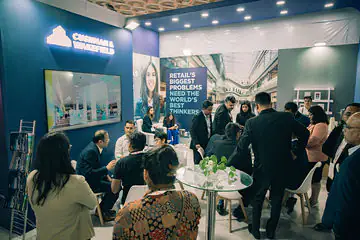

Suggested media 2: A visual matrix showing one photograph adapted for website, LinkedIn, press and presentation use.
TAT field note
A final gallery should not become archaeology.
Teams lose time when each new request begins with “where was that photo from last year?”
TAT’s corporate work often serves more than the person who booked the shoot: PR, HR, designers, agencies and leadership teams may all use the files later.
File naming, folder structure and image categories are part of the deliverable, not boring admin that happens after photography.
A smaller organised library can create more business value than thousands of files that no one can confidently identify or reuse.
Decision table
Translate the brief into production decisions.
Use this as a conversation starter with communications, HR, PR, event, AV or brand teams.
| Decision | What good planning looks like | Common failure | TAT recommendation |
|---|---|---|---|
| Leadership | Board, CEO, leadership portraits | Annual report, media, investor material | |
| People | Teams, collaboration, employee moments | Careers, LinkedIn, internal communication | |
| Operations | Facilities, process, work in action | Reports, sales decks, stakeholder communication | |
| Environment | Office, plant, venue, branded details | Website, presentations, PR and archives |
How we think about the work
Useful beats decorative.
The photograph is not finished when the shutter closes. It is finished when another team can actually use it: in a press release, annual report, website, LinkedIn post, investor deck or internal story without having to decode what happened.
Agree the real business use and priority people.
Watch what happens between the scheduled moments.
Deliver an organised set another team can immediately understand.
Build a useful first brief.
No visible line-item pricing. This tool simply packages the decisions that most affect scope and sends them to TAT.
Continue planning
Related Tell-a-Tale Studios pages.
These links move from the planning question into the most relevant service or portfolio context.
Research-informed page: the source map supplied with this pack lists the live specialist/official pages reviewed for this topic. Competitor claims are not copied into this page.
People Also Ask
Direct answers before you request a quote.
The questions are written conversationally so they work for human buyers and answer engines without hiding the practical caveats.
01What categories should a corporate image library contain?
Typical categories include leadership, teams, workplace, operations, meetings, customer or stakeholder interaction, events, brand details and location context.
02Should every image have metadata?
At minimum, important corporate assets benefit from clear filenames, folders and contextual captions; larger DAM systems may require richer metadata.
03How many versions of each image should we keep?
Keep a high-resolution master plus channel-ready derivatives only when the workflow benefits from them. Avoid uncontrolled duplicate folders.
04How should employee photographs be refreshed?
Use a repeatable style so new joiners can be added without rebuilding the entire library.
05Who should own the image library internally?
A communications or brand owner should define governance even if multiple teams have access.
06Can a new event feed the year-round library?
Yes. Event coverage can intentionally add current leadership, stakeholder, culture and brand imagery instead of being archived as a one-off gallery.
Share the brief. We will recommend the smallest team that can do it properly.
Send the date, location, timings, audience, priority stakeholders, intended use and delivery deadline.